
SAP Cloud ALM MCP
Ask your assistant about requirements, test runs and defects in your SAP Cloud ALM project.
Installation
- Ask your SAP BTP administrator for a Cloud ALM API service key with read access. Save the JSON file in your Downloads folder.
- With Node.js 22 or later installed, run
Setup checks the key with SAP and configures supported clients it finds, including Codex and Claude Code.npx -y cloud-alm-mcp-server setup - Open a new chat and ask “Which Cloud ALM projects can I access?”
Using Claude Desktop? Download the desktop extension, open it and choose your key file. This path works without Node.js.
Project workflows
Start with a project overview. Then follow a failed test to its linked records.
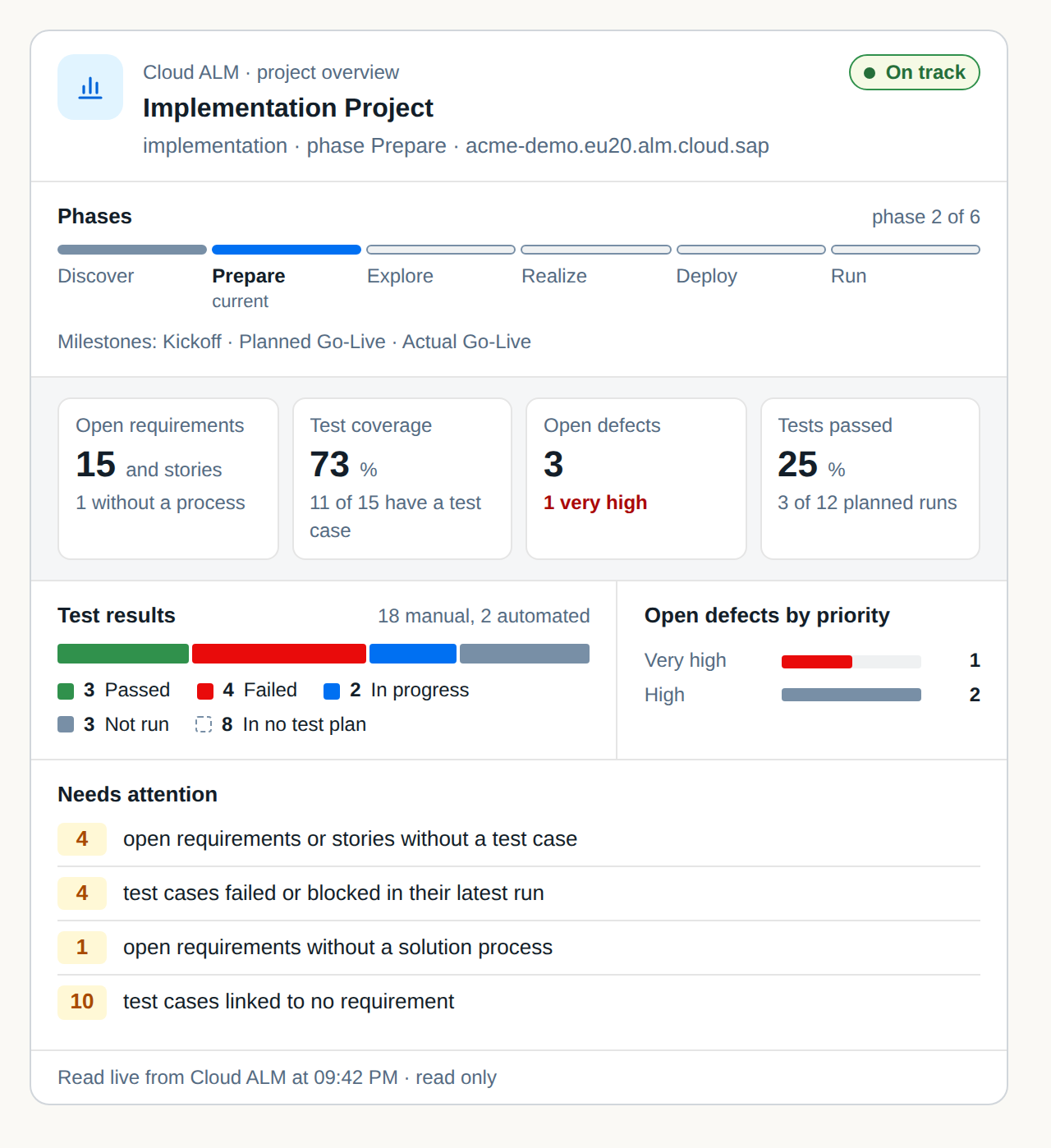
Which test cases failed in my latest UAT cycle, and which have a linked defect?
Use the test plan’s display ID to narrow the question to one cycle. Open a linked item to inspect the source record in Cloud ALM.
Remote hosting
Try the hosted demo in an MCP client that accepts remote servers. Add this URL as a custom connector and choose no authentication.
https://docs.didro.ai/cloud-alm/demo/mcpAsk “Which project can I read?” The demo returns Rollout Example, a synthetic project with test cases and defects. Anyone can try it without a SAP account.
Connect your own tenant
The hosted read-only endpoint at /cloud-alm/mcp accepts requests from an operator-configured gateway. Supply the Didro gateway key in X-Didro-Access, the caller’s SAP access token in Authorization: Bearer, and the regional SAP API root in X-Calm-Api-Url. A web client that requires OAuth needs a sign-in gateway for your organization. For individual use, the local installation connects directly with your service key.
Feedback
What do you still look up by hand during defect triage? Share a workflow or idea on GitHub using an anonymized example.
The hosted assistant can call calm_report_feedback when a tool returns unexpected results or takes unnecessary steps. Describe the tool behavior using generic terms and omit customer records or credentials. Didro receives these reports privately. Self-hosted builds with this tool can use the authenticated /cloud-alm/feedback receiver with an operator-issued token.